
dataEssence Business;
dataEssence Business is the complete solution for your formulating business needs, from sales enquiry to invoice. It will enable you to manage R&D, stock, batches, manufacturing, sales and purchase order processing.
The primary objective is to provide your business with the management information and operational tools necessary to satisfy your clients' needs in the most profitable and productive way.
In the dataEssence Business System we have added to the dataEssence Enterprise system by bundling together our most popular additional modules to give you the tools necessary to run your whole business with one integrated software solution.
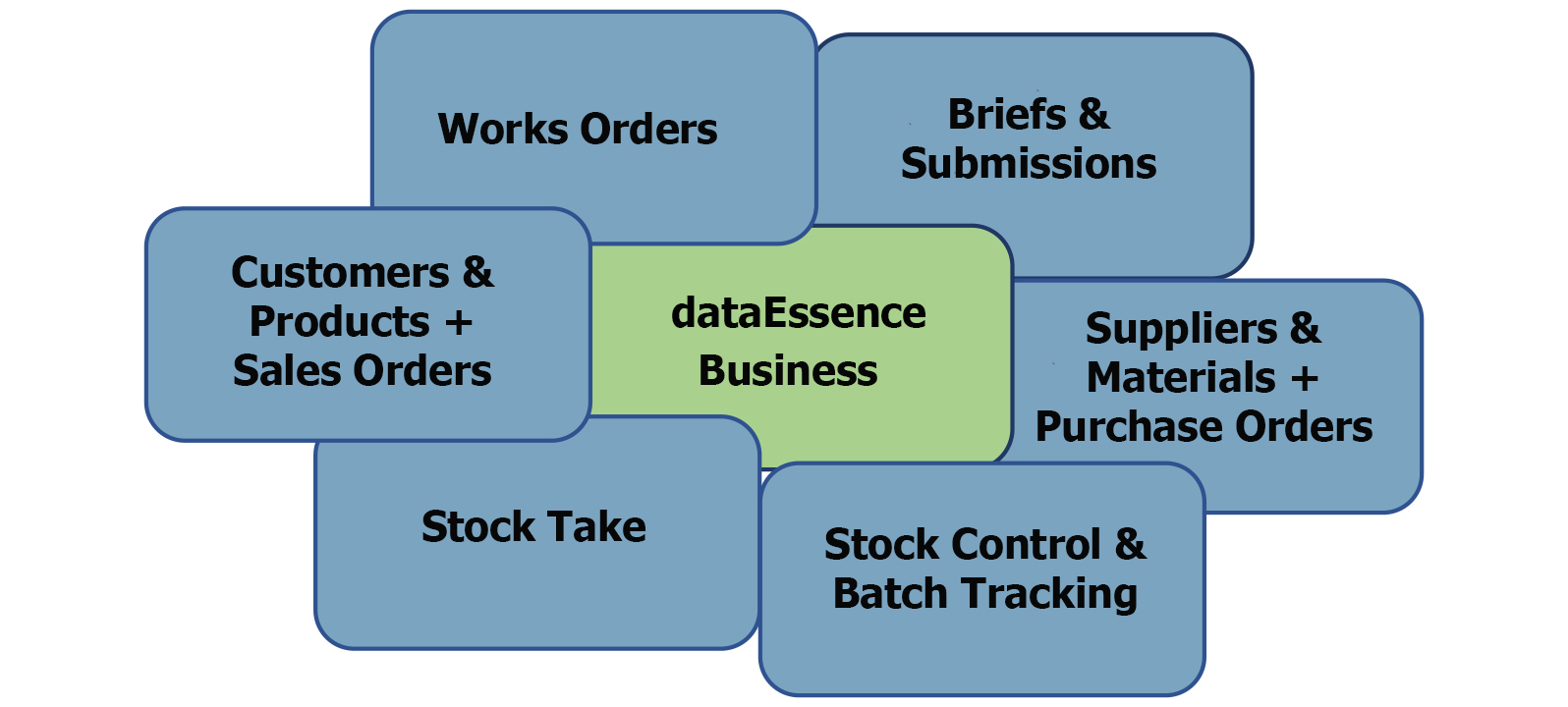
This software package comprises of the following modules:
Briefs and Submissions
All sales activities start with a customer brief which will be as a result of either direct / indirect sales activity or from existing customers. This module provides real benefits in the initial part of the sales cycle by managing the sales projects / briefs and then recording the submissions to clients.
Features Include:
- Record details of brief requirements
- Comprehensive search of your fragrance or flavour library to assist in answering a Brief or Project ("have we created something similar before?").
- Search facility by brief number from a list of submissions
- Brief reports for management control i.e. Briefs received / answered / outstanding
- Ability to store Windows documents against each brief
- Unique client number created for each submission
- Record details of each submission: sample size, dose, sales price, application etc
- Add submissions from Applications and Evaluations
- Record dispatch methods against your submissions
- Record customer feedback against your submissions
- Printing the following reports:
- Internal brief document
- Customer sample advice
- Submission and address labels
- Product specification
- Datasheet
Sales Orders
All sales orders are based on an individual price list for each customer with the ability to record the customer’s own coding and descriptions.
Multiple prices can also be recorded for each product to reflect any special terms or quantity breaks.
When the products are ready for despatch the dataEssence Sales Order module will allow you to produce all the relevant documentation including;
- Invoices and Credit Notes
- Delivery Notes (dataEssence supports multiple delivery addresses for a single invoice address)
- Certificates of Analysis
- Batch and Stock Transactions
- Specifications
- Address labels
- GHS / CLP drum labels
Customers & Products
All client documentation, including safety data sheets and specifications, will accurately reflect client codes and descriptions and can keep the formulation codes confidential.
All sales orders are based on an individual price list for each customer with the ability to record the customer’s own coding and descriptions.
Multiple prices can also be recorded for each product to reflect any special terms or quantity breaks. This gives you the ability to see who you supply, with which products and at what prices.
Features Include:
- Comprehensive viewing of relevant management information including Sales History for Each Customer, Full Stock Details and Alternative Customers.
- Add, amend and delete details of customers materials and products sold.
- Create multiple customers for any material or product.
- Record multiple negotiated prices per material or product sold to each customer.
- Comprehensive customer search facilities.
- Full customer contact details with country, currency and business terms.
- Manage multiple delivery addresses per customer.
- Ability to store Windows documents against each customer.
- View details of customer turnover and last order date.
- Records the customers stock code in addition to the dataEssence stock code.
- Records the specification and SDS “last printed” dates.
- Records the product batch expiry date text; Best Before, Use By etc.
- Records the product Tax code.
- Product notes created for printing on Certificate of Analysis and Product specification.
Suppliers & Materials and Purchase Order Processing
Details of products, pricing and supplier information are held against each supplier within dataEssence thus allowing purchase orders to be raised. This allows not only individual pricing and coding details but also the recording of material approvals and the automatic production of the material specifications.
All purchase orders are based on an individual price list for each supplier with the ability to record the supplier’s own coding and descriptions. Multiple prices can also be recorded for each product to reflect any special terms or quantity breaks. dataEssence can display all the potential suppliers and historic purchase orders to help in the choice of supplier for the next order.
Features include:
- Control over who supplies you with which raw materials and at what prices.
- Add, amend and delete details of suppliers of materials and products.
- Ability to store Windows documents against each supplier and each purchase order.
- Multiple prices per material or product bought per supplier.
- Records the suppliers’ stock code in addition to the dataEssence stock code.
- Automated generation of the appropriate batch and stock transactions.
- Automatic updating of all the appropriate stock levels.
- Optional back to back sales and purchase orders.
- Managed full and part deliveries.
- Recording of supplier invoice numbers against items.
- Recording of added costs on receipts.
- Reflection of added costs in batch costs.
- Create Purchase Order returns for unacceptable deliveries.
- Comprehensive viewing of relevant management information including Purchase History for Each Supplier and Alternative Suppliers.
Stock Control & Batch Tracking
This module provides a simple method for recording such items as: stock levels, costs, ordering details, physical properties, risks & hazards, QC tests, specifications and transport information.
Features Include:
- Management of Stock at Batch level for raw materials and mixes.
- Key identification codes for each batch, user input or automatically generated.
- Comprehensive viewing of relevant management information including Stock Valuation, Out of Stock and Stock Transaction History.
- Comprehensive stock and batch traceability to view Quantity In, Out (and in QC).
- Powerful Stock and Batch search facilities with MS Excel support.
- Ability to store Windows documents against each batch.
- Move Stock using Sundry Transactions (in, out and transfer).
- Add new batches and view / amend existing batches.
- Record the date when the batch was received or created.
- Record the Stock expiry date.
- Calculate the actual cost price of each batch.
- Rcord the batch status: Pass, Fail, Approve etc.
- Record QC test results against each batch.
- Create the Certificate of Analysis.
- Manages multiple warehouse locations if needed.
- Control of Stock at Drum level (Optional)
- View volume in batches for each tank in an automated production system (Optional with Auto Production).
Stock Take
With the addition of the Stock take module you will find it helps to make light work of the whole stock take process.
Features Include:
- Use Excel reports to note the stock take quantity for listed and non-listed batches.
- Load adjustments to stock, automatically generating the appropriate transactions.
- Check any discrepancies between stock and actual.
- Output a stock level listing for all batches.
- Print transaction adjustments from stock reporting.
Works Orders
Products may be manufactured for stock or linked to a specific sales order item. Using Works orders will rationalise and consolidate your formulations for easy compounding.
Prior to raising full works orders (WO), dataEssence can display or print trial works orders to show the quantity of each stock item required for manufacture to indicate any potential shortages. These reports are based on the information held within stock control combined with the details of the formulations.
For each works order, the user can specify the batches to be used (where batch tracking is in operation) or allow batches to be automatically allocated by dataEssence. Details of the batches to be used are printed WO documentation and material usage is recorded in the stock system.
The raw materials for works orders are listed in the order in which they should be prepared and mixed thus ensuring that the compounder can work in the most efficient way. Additionally, any special mixing or safety instructions are clearly printed on the Works Order.
Once the Works Order has been completed the QC details for this batch can be recorded against the product.
Features include:
- Review Works Orders by status – active, manufactured, deleted and abandoned.
- Create Works Orders either back to back against sales order items or for stock.
- Any special mixing or safety instructions are clearly printed on the Works Order.
- Packaging details and comments can be included on each Works Order.
- Optional expansion of bases & sub formulas within Works Orders.
- Display or print a Trial Works Order to show the quantity of each stock item required for manufacture to indicate any potential shortages.
- Comprehensive works order search facilities with Excel save feature.
- Print GHS / CLP labels.
- Automatic adjustment for yield quantities – total or Works Order items.
- Automatic calculation of the required Works Order items based on the formulation.
- Automated generation of all the appropriate batch and stock transactions.
- Automatic adjustment transactions for over/under manufacturing and yields.
- Automatic updating of all the appropriate stock levels.
In summary, dataEssence Business
- Helps SME’s compete in the global market.
- Understands your business; a system designed with formulating companies for formulating companies. Capable of handling manufacturing gains and losses, yields and full batch tracking.
- Flexible enough to help you respond to the ever-increasing demands of your customers, including issues like labelling and the emailing of documents and all those awkward customer audit questions.
- Protects your intellectual property (formulations) and your commercial terms.
- Automated production of all the documents you need, when you need them.
- The user definable report and form designer gives you the ability to customise your software allowing you to make changes to the screens and reports.
- dataEssence Business is multi-user and comes with 2 users as standard, giving you 2 concurrent users so that you can have any 2 members of staff logged on at any one time. If you need additional users, these can be added as your business requires.
To find out more about dataEssence and how it can benefit your flavour, fragrance or essential oil business please call us on +44 (0) 333 242 0804, or email us at [email protected]
Contact Us

Briefs & Submissions
Formulation Design
GHS/CLP, IFRA, FEMA
Works Orders
Batch Tracking
...and much more


